Sage Intacct Paperless Administration
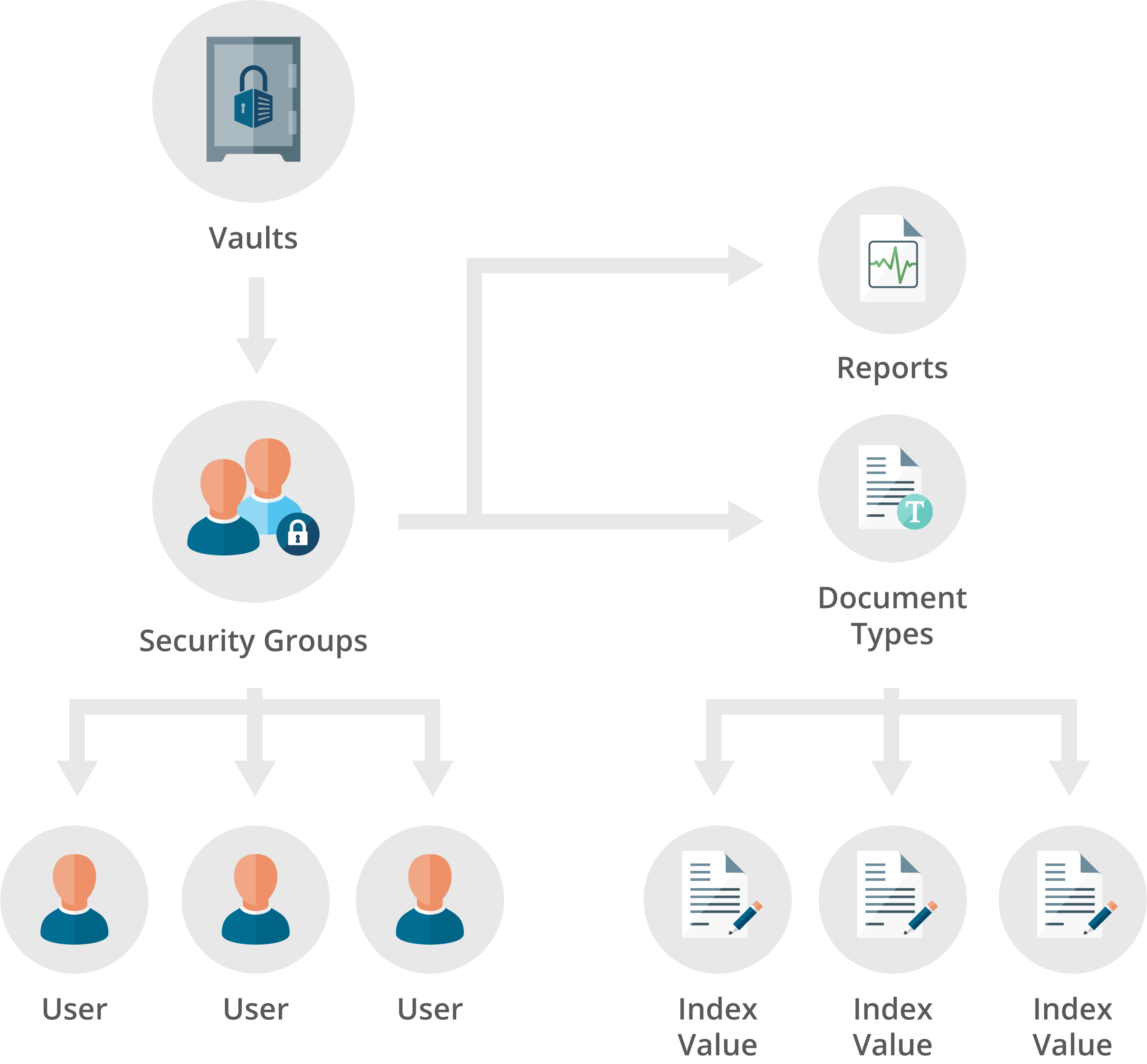
The Sage Intacct Paperless hierarchy begins with the concept of document “vaults”. Vaults are the highest levels of document and user organization within Sage Intacct Paperless. You can think of vaults like filing cabinets that are used to store paper documents.
Depending on the system purchased, a single vault may be all you need to store your documents; however, several vaults may be necessary to separate documents for different departments or companies.
Within Sage Intacct Paperless, there are many different roles and permission levels:
Individuals set up as Global (or System) Administrators have permissions that span Global Settings, Vault Settings, DocRoute™ Settings and APFlow™ Settings.
Individuals set up as Vault Administrators have permissions that span Vault Settings, ClearToPay™ Settings, DocRoute™ Settings and APFlow™ Settings.
Both Global and Vault Administrators control Capture and Retrieve functionality specifically through Vault Settings and the Vault Security Groups.
Roles (Processors, Reviewers, Supervisors) defined in the DocRoute™ Settings and APFlow™ Settings determine access and visibility within APFlow™ and DocRoute™ modules.
Note
APFlow, ClearToPay, DocRoute and mobile applications module visibility is controlled by licenses purchased by your company.
Global Admin | Vault Admin | Non-Admin | |
|---|---|---|---|
Global Settings | ✓ | ||
Vault Settings | ✓ | ✓ | |
APFlow™ Settings | ✓ | ✓ | |
DocRoute™ Settings | ✓ | ✓ | |
ClearToPay™ Settings | ✓ | ✓ | |
For security access, vault security groups are defined for each vault, and users are assigned to these security groups. Security groups are used to limit document and report security throughout the Sage Intacct Paperless system. | |||
Capture | Controlled by Vault Security Group | ||
Retrieve | Controlled by Vault Security Group | ||
APFlow | Controlled by APFlow roles and permissions | ||
ClearToPay | Controlled by ClearToPay roles and permissions | ||
DocRoute | Controlled by DocRoute roles and permissions | ||
Users must be associated with at least one active group; however, you can be associated with multiple groups in one or more vaults.
 |